
This guide is part of the Content Types. We show you how to create content in general under Create and Edit Content.
In order for external content such as Facebook to be displayed, it must first be enabled via CSP Management.
Step 1: Select the Content Type
At the beginning of creating new content, select the “Facebook Content” module. A new window with the heading “New Facebook Content” should then open.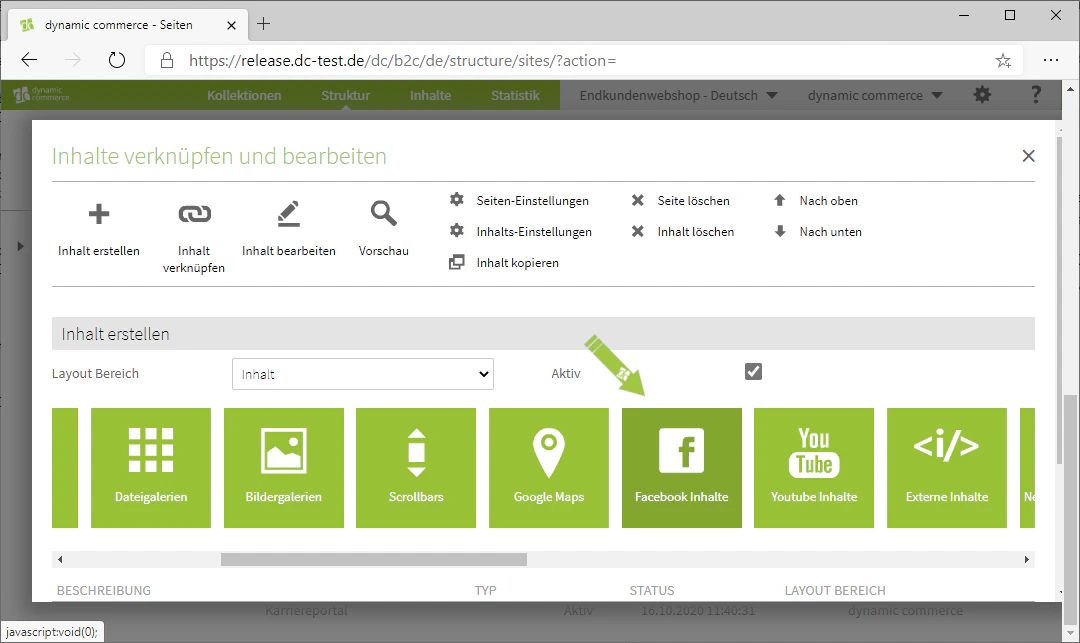
Step 2: Choose a Description
In the window that just opened, define a description. This is only for organisational purposes and will not be displayed on the selected page.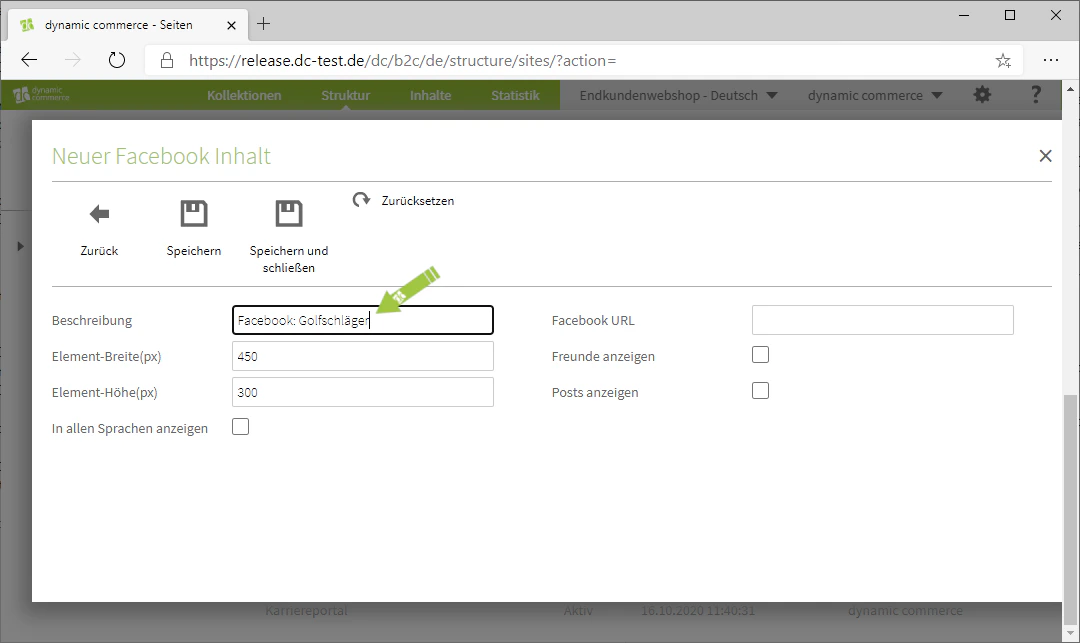
Step 3: Choose Height and Width
Next, set the height and width of the content in pixels. This affects the size of the window in which the Facebook content is embedded.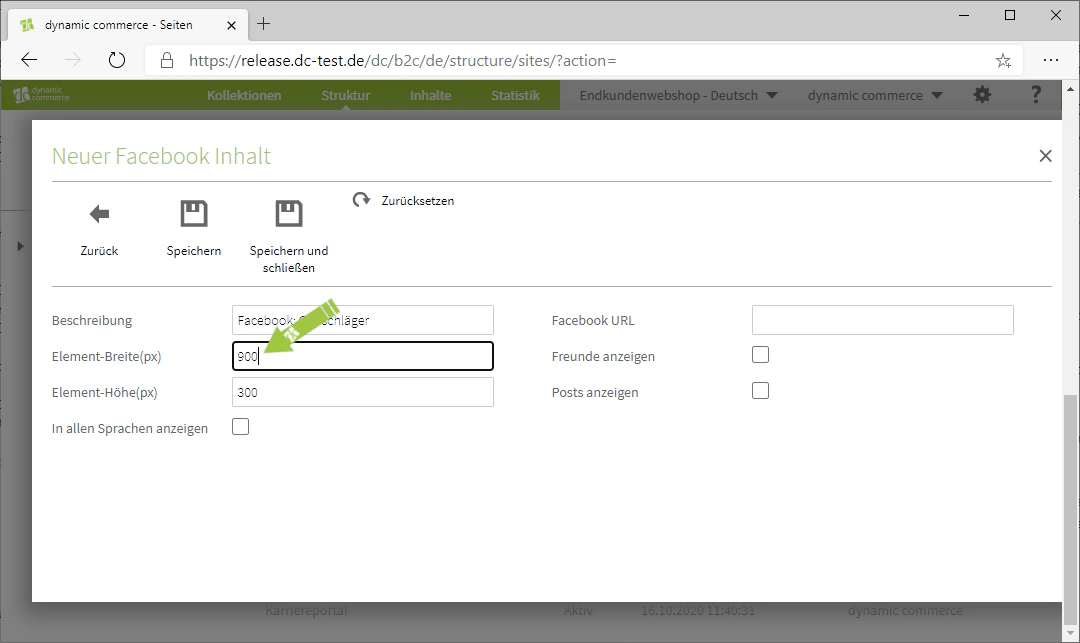
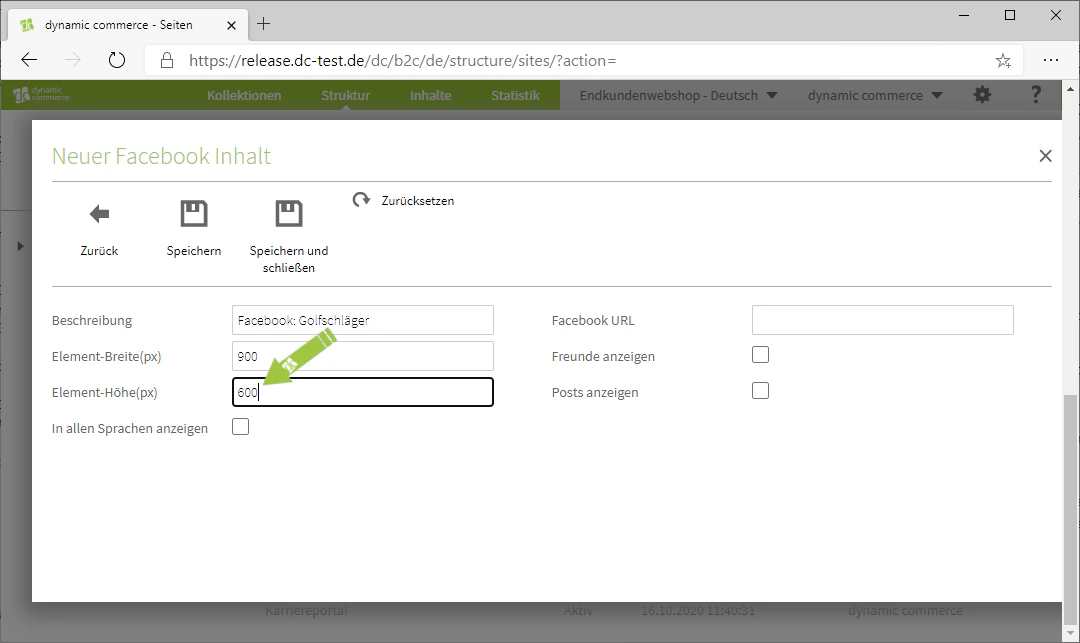
Step 4: Insert Facebook URL
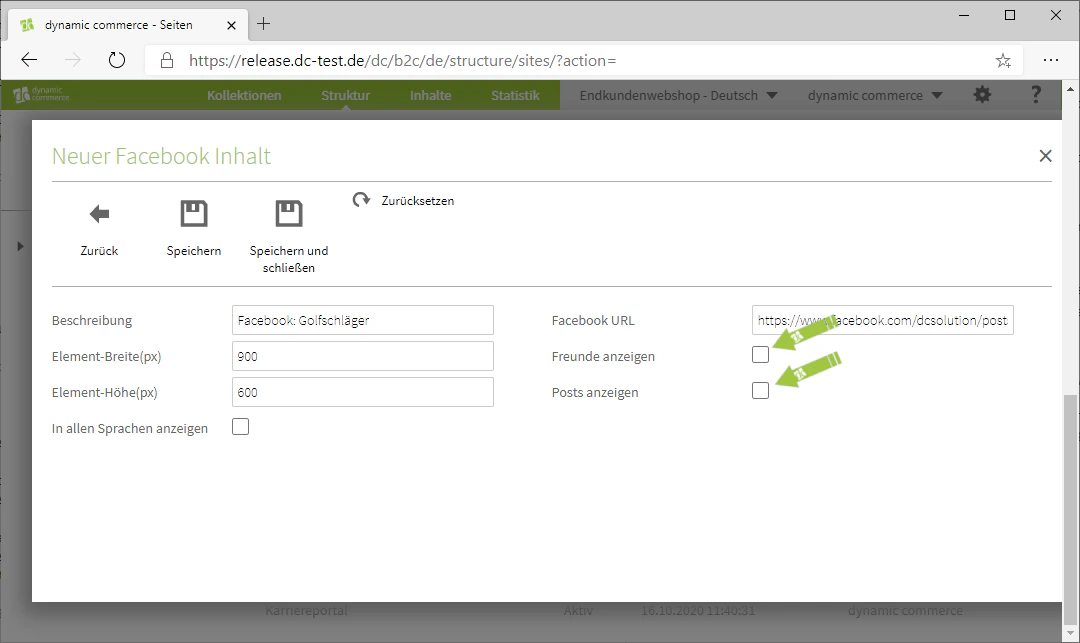
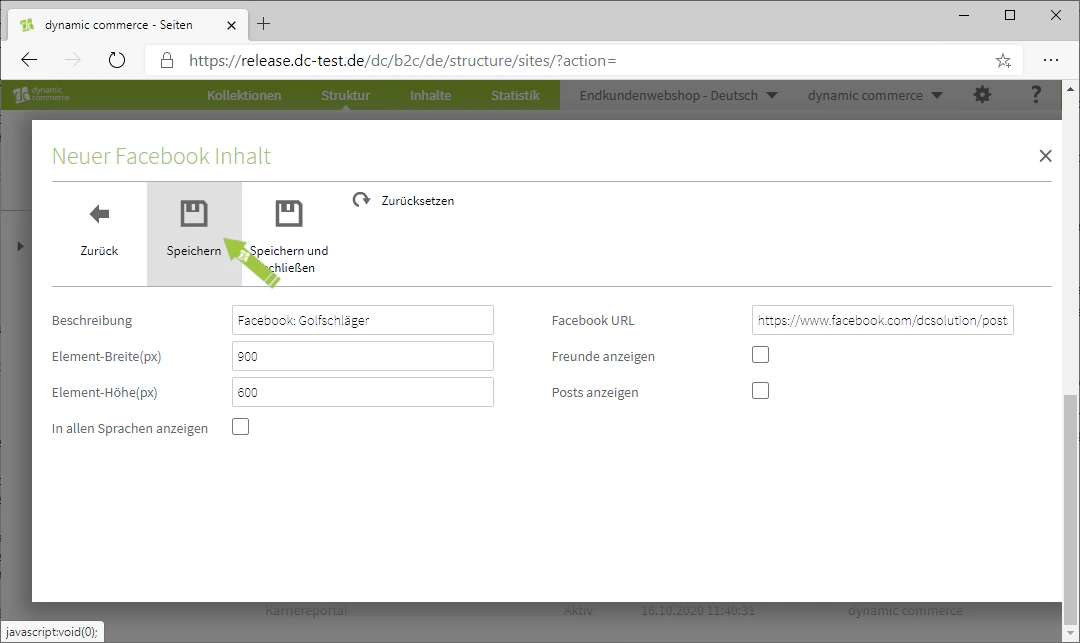
Finally, enter the URL of the Facebook content you wish to embed. If it is not a post but a Facebook profile, you can use the respective checkboxes to specify whether friends or posts of the profile should also be displayed.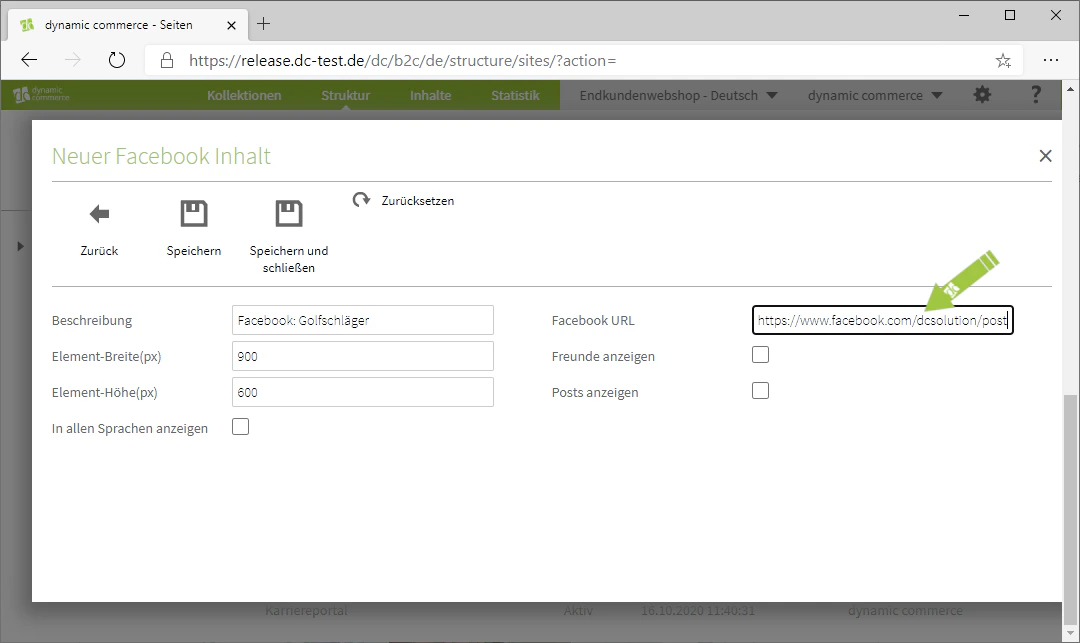
Related Topics
Content Types
Overview of all available modules.
Create and Edit Content
Create content on pages.
YouTube
Embed YouTube videos on your pages.
External Content
Embed any external content.