
1
Step 1: Open Voucher Card
Navigate to the Vouchers area by entering “Voucher Overview” in the search.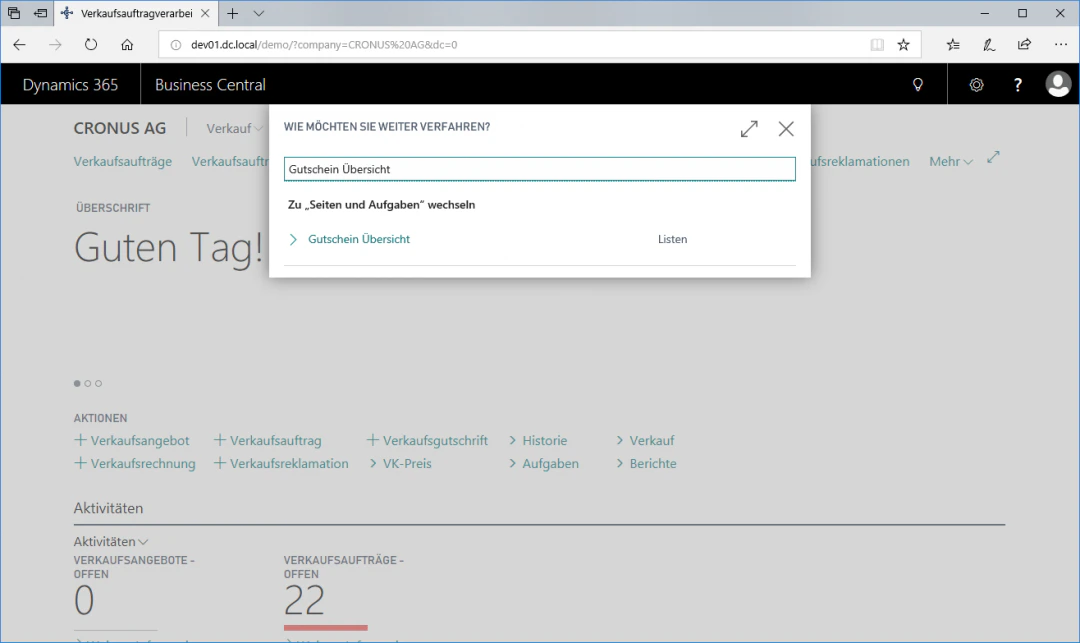
2
Step 2: Create Value Voucher
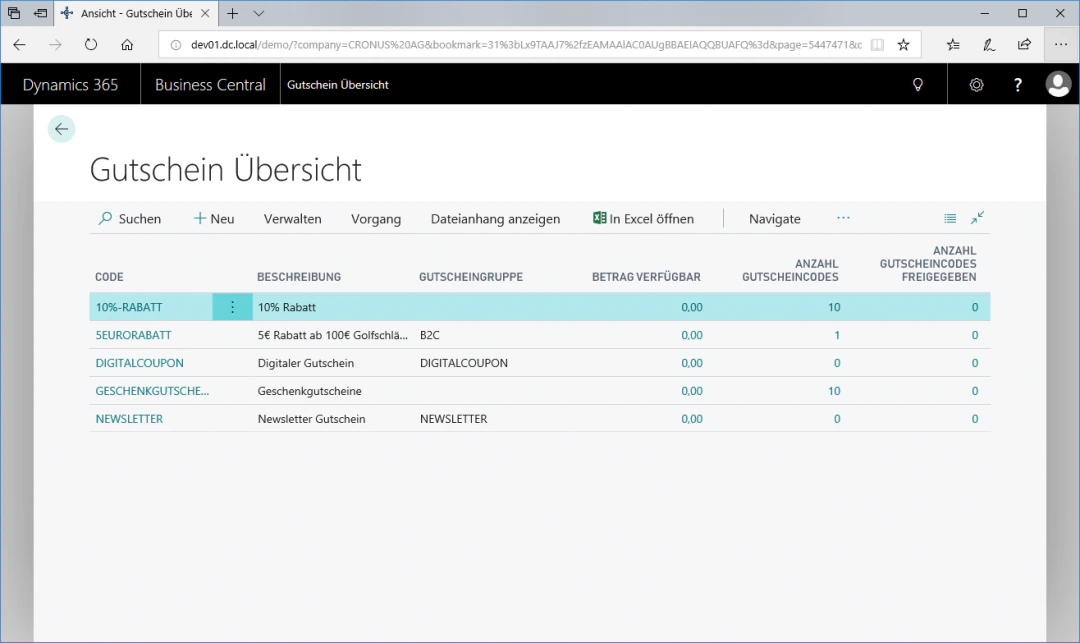
To create a voucher, select the “New” fasttab to access the voucher card. The new entry is inserted above the currently selected row. In our example, the voucher receives the code “Gift Voucher” with the description “Gift Vouchers”. In addition, we select “Amount” as the value type and check the “Value Voucher” box.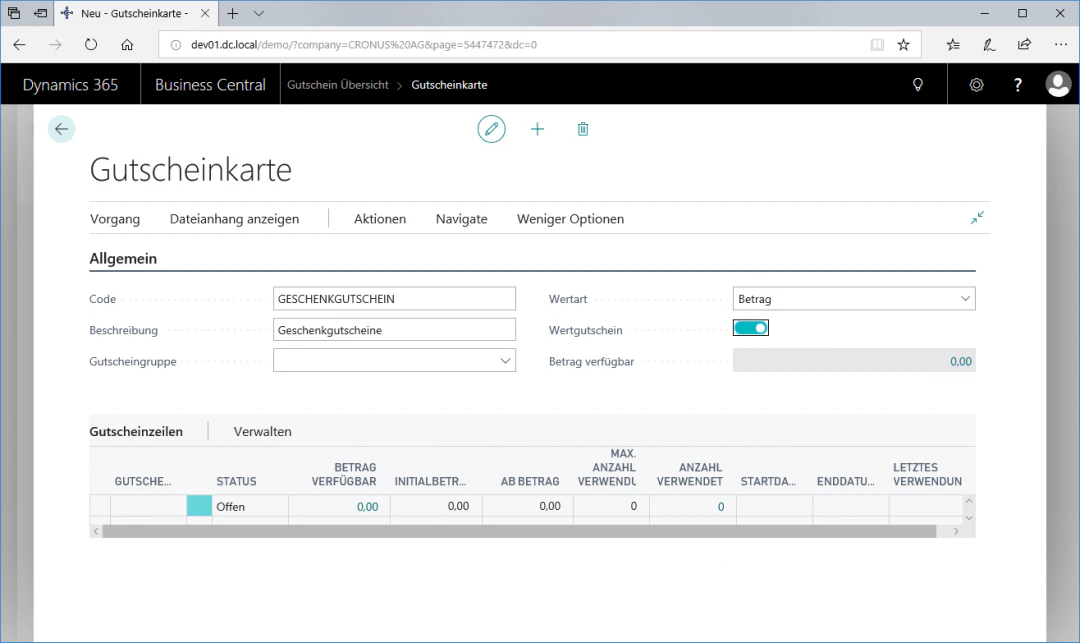
3
Step 3: Generate Voucher Lines
To create different codes for discount vouchers, click the “Process” fasttab and then “Generate Voucher Lines” to access the voucher codes configuration.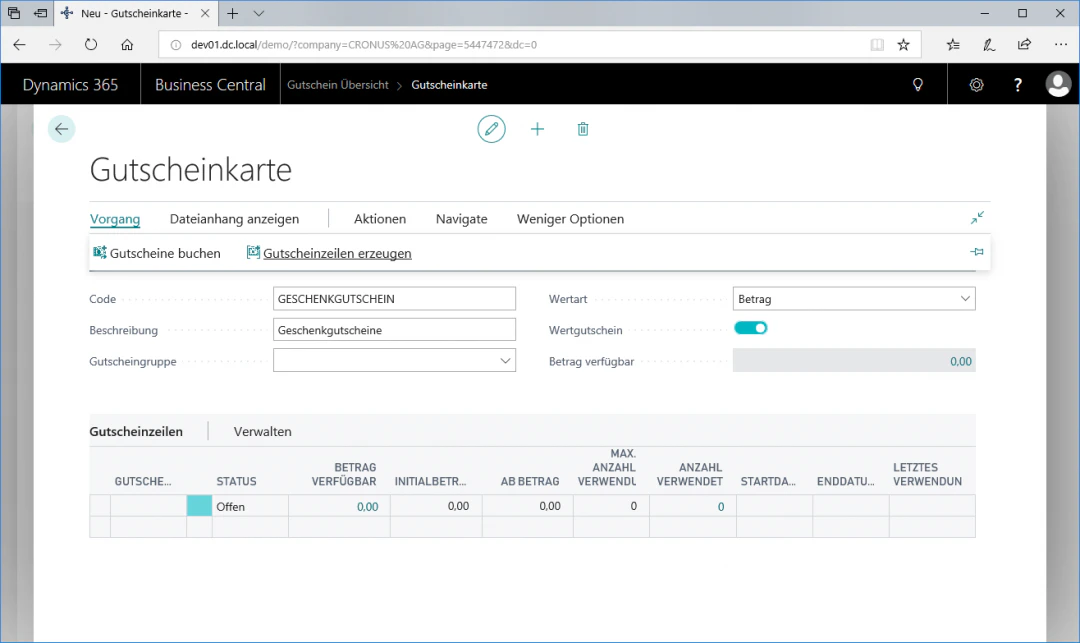
4
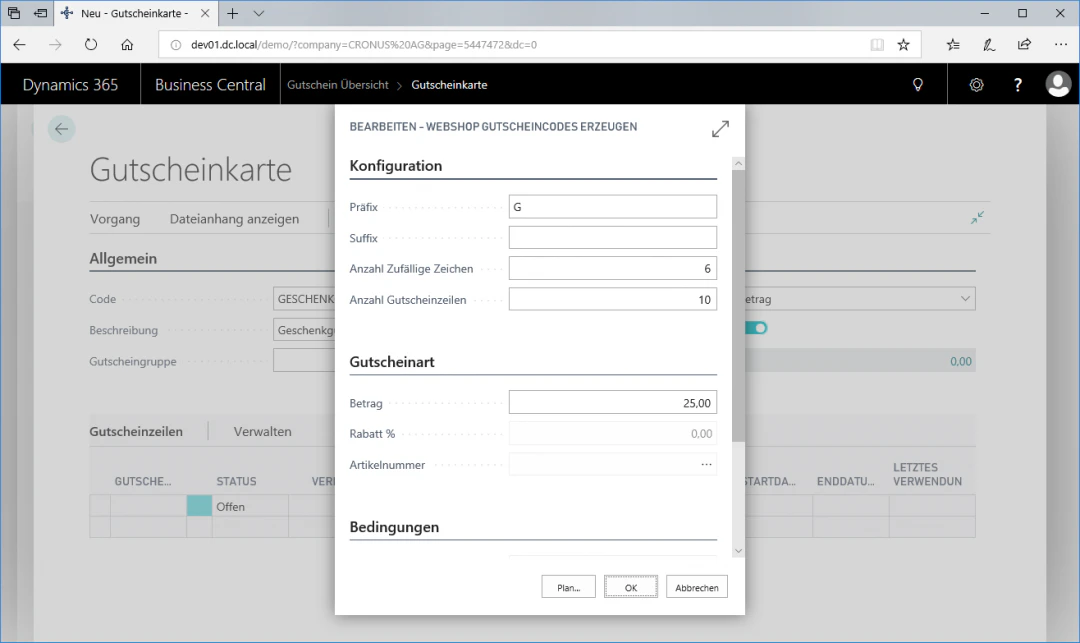
Step 4: Configure Voucher Codes
In this view, in our example we want to generate 10 voucher codes, each worth €25. The prefix can also be chosen freely.For this exemplary configuration, we select the following settings:In the Configuration menu item:- Prefix: G
- Number of random characters: 6
- Number of voucher lines: 10
- Amount: 25.00
Related Topics
Setting Up Discount Vouchers
Create discount vouchers with codes.
Setting Up Web Shop Payment Options
Configure payment methods in the web shop.