
1
2
Step 2: Create Discount Coupon
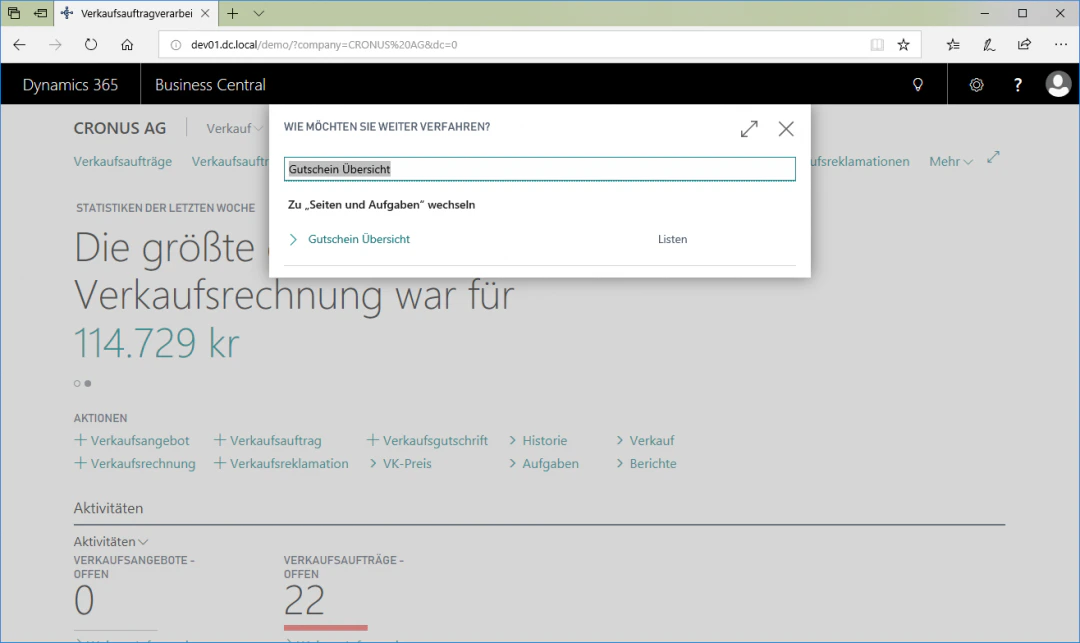
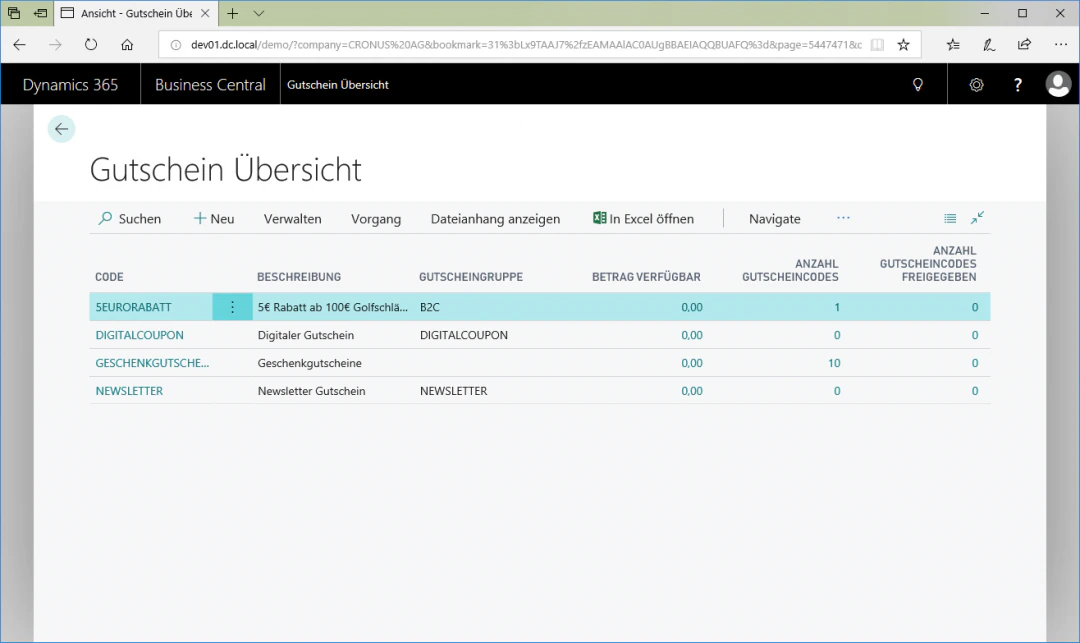
To create a coupon, select the “New” button to access the coupon card. The new entry is inserted above the currently selected row. In our example, we name the coupon “10%-Discount” with the description “10% discount”. In addition, we select “Percent” as the value type and do not check “Value Coupon”.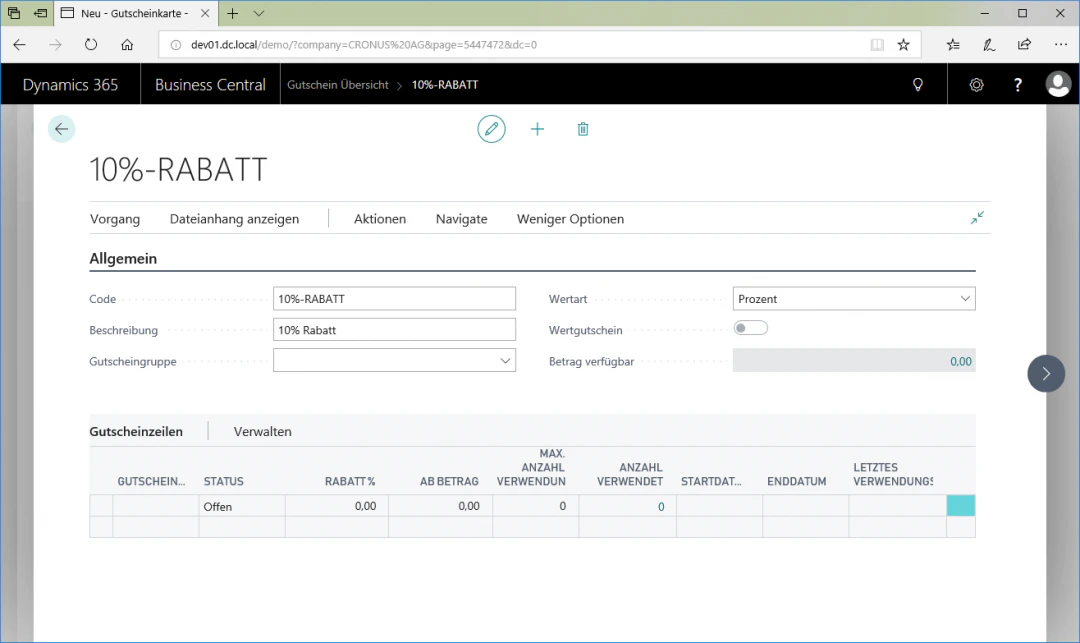
3
Step 3: Generate Coupon Lines
To create different codes for discount coupons, click the “Process” fasttab and then on “Generate Coupon Lines” to access the coupon code configuration.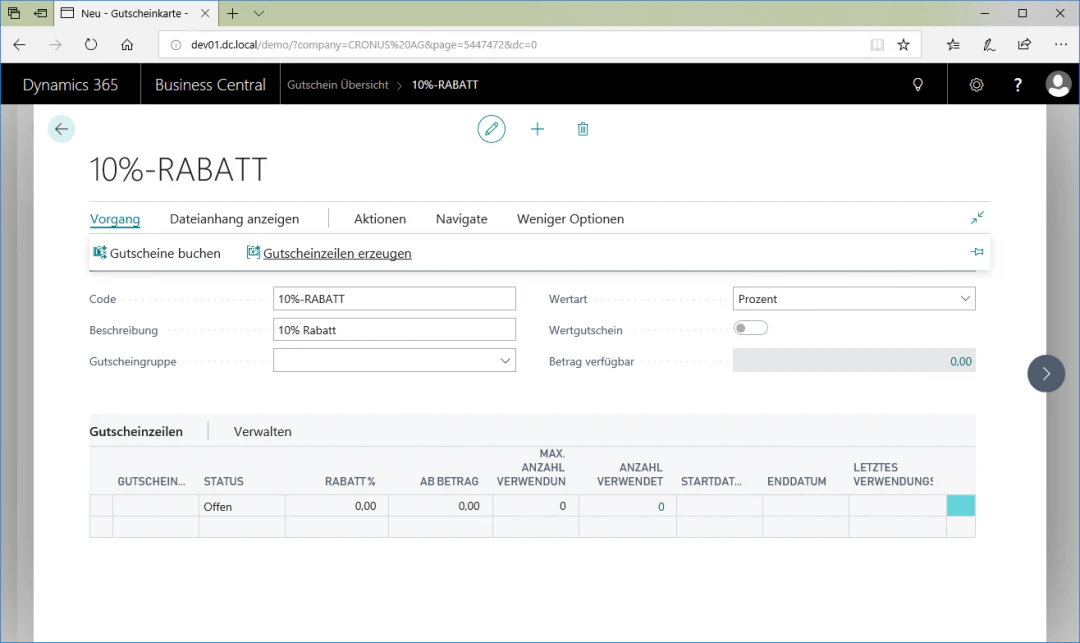
4
Step 4: Configure Coupon Codes
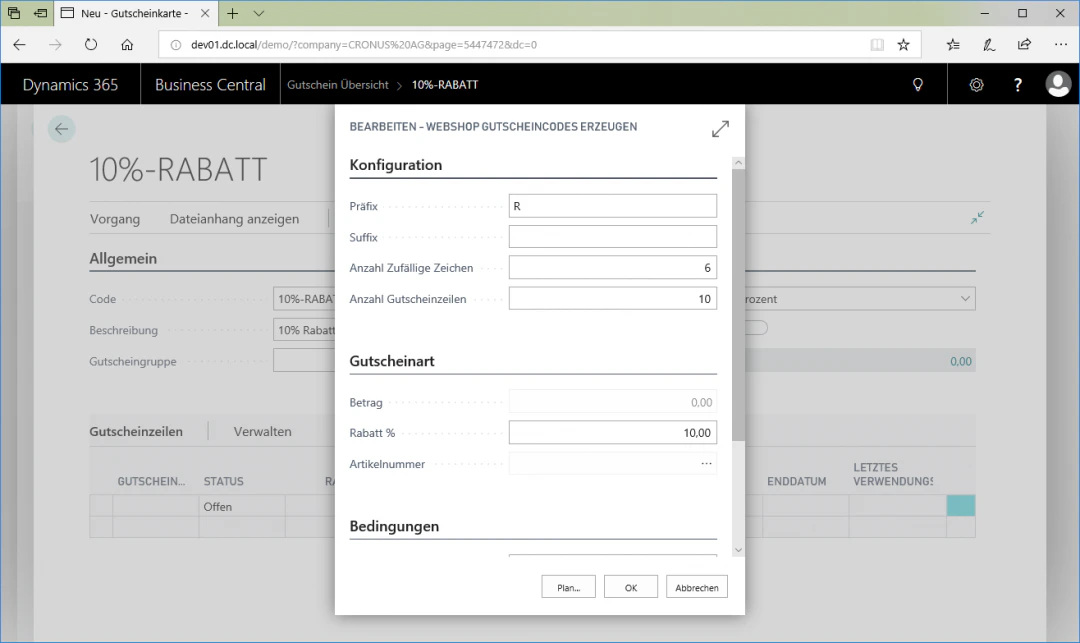
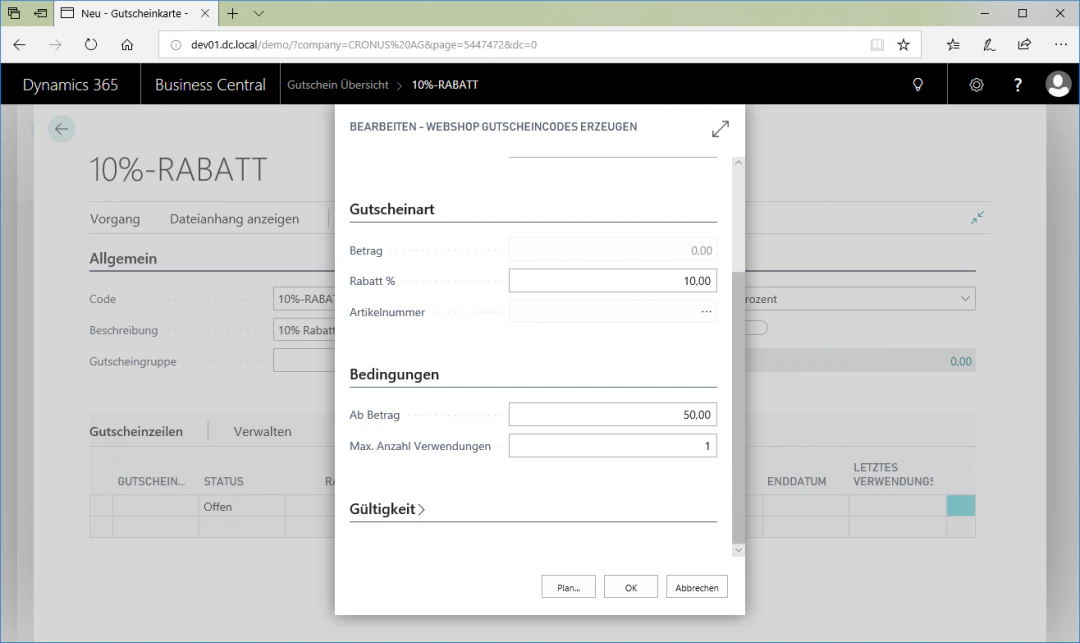
In this view, in our example we want to generate 10 coupon codes that grant a 10% discount on orders. In addition, we specify that the discount is only applied from a minimum purchase value of €50. The prefix can be freely chosen, and the code per coupon may be used at most once. For this example configuration, we select the following settings:In the Configuration menu item:- Prefix: R
- Number of random characters: 6
- Number of coupon lines: 10
- Discount: 10.00
- From amount: 50.00
- Max. number of uses: 1
Related Topics
Setting Up Value Coupons
Create value coupons as a means of payment.
Setting Up Web Shop Campaign 2Plus1
Run 2-Plus-1 campaigns in the web shop.