> ## Documentation Index
> Fetch the complete documentation index at: https://docs.dc.ag/llms.txt
> Use this file to discover all available pages before exploring further.
# Coupon Codes - Coupon Lines Overview
> View and manage the status, amount, and usage of generated coupon lines in the Coupon Lines list
Within the Coupon Codes you will find a list of already generated coupon lines. This list is titled "Coupon Lines". There you can obtain information about the coupon lines and, for example, release or close them.
In the following, we explain which information you can retrieve there and which actions can be performed.
Please note that a Coupon Code must already have been created and the associated coupon lines must have been generated. We show you how to create a Coupon Code under [Create Coupon Codes](/docs/en/bc-coupon-codes/user-guide/gutschein-codes-erstellen). An explanation for generating coupon lines can be found under [Generate Coupon Lines](/docs/en/bc-coupon-codes/user-guide/gutscheinzeilen-erzeugen).
You can also manually maintain coupon lines directly here, however we do not recommend this. It is better to have them generated in order to prevent possible errors.
## Navigation to the "Coupon Lines" List
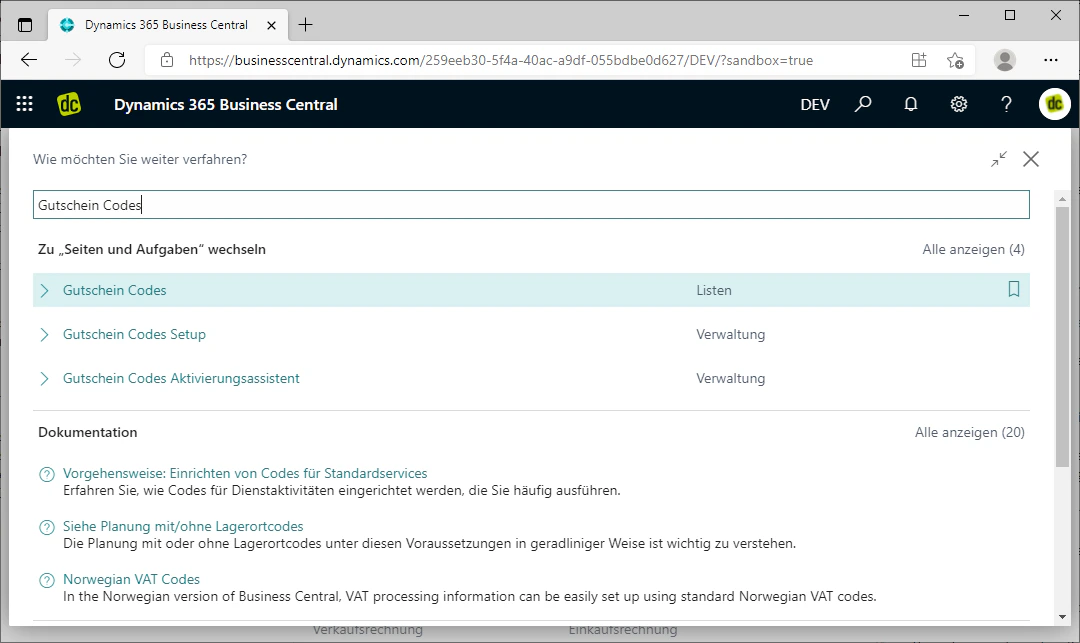
To navigate to the list in question, first navigate to the Coupon Codes by searching for "Coupon Codes" using the search bar and selecting the list of the same name.
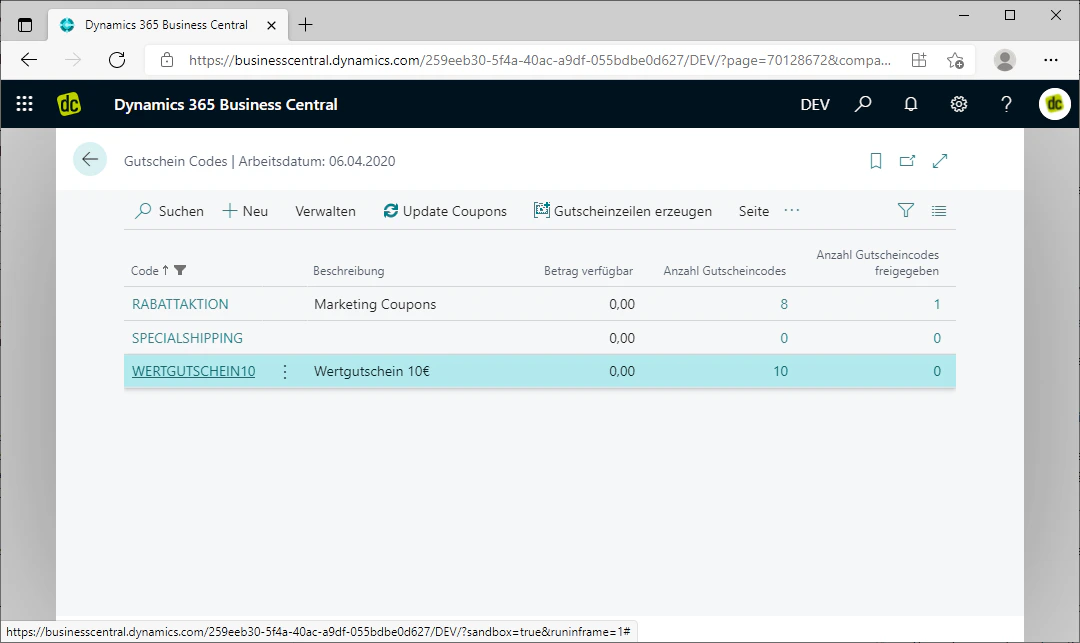
There, open an already created Coupon Code by clicking on its code in the table.
In our example, we open the Coupon Code "Wertgutschein10".
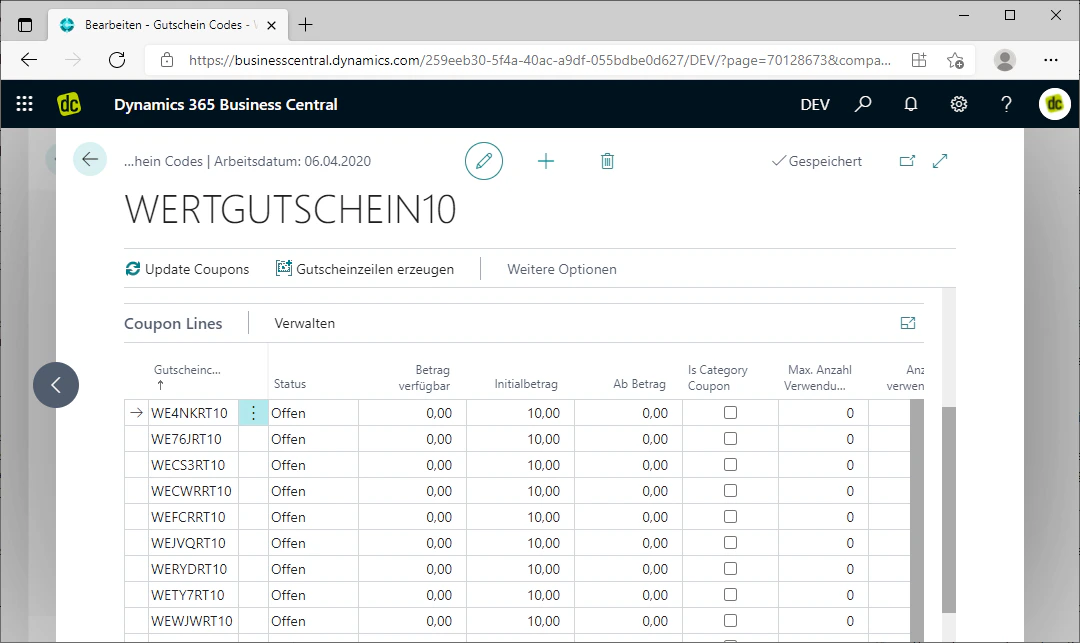
You can now see the heading of the "Coupon Lines" list at the bottom of the page. Scroll down to view the complete list.
 ## General Information on the Coupon Lines
In this list you will find all generated coupon lines for this Coupon Code.
In the fields associated with each coupon line, you can see various important pieces of information about the individual coupon codes that have been generated.
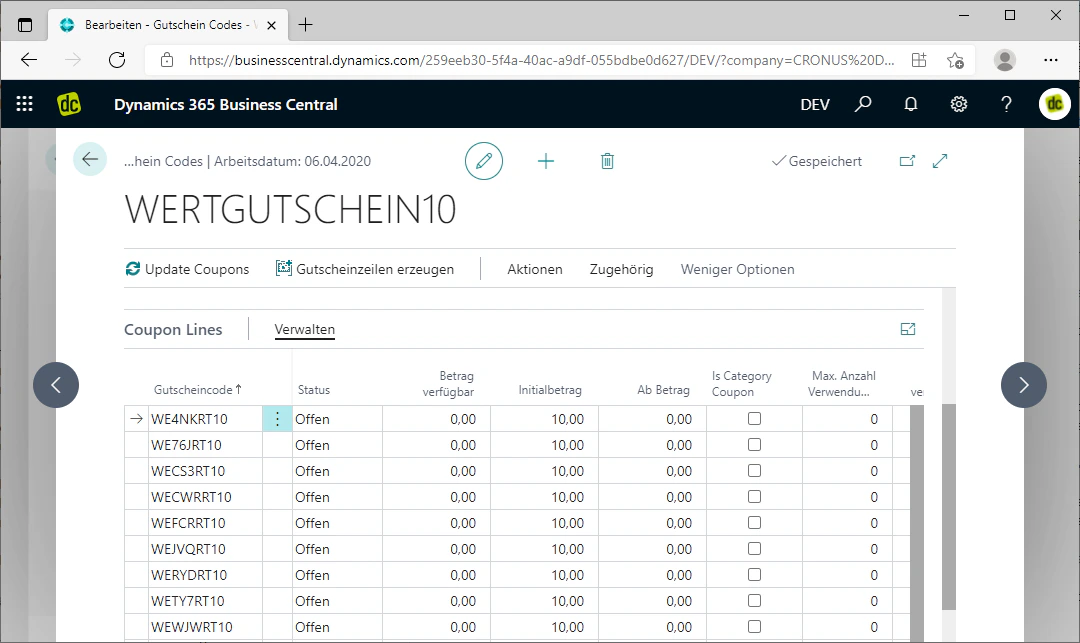
By clicking "Manage" next to the "Coupon Lines" heading, you can manage these coupon codes. There you have the option, for example, to release the coupon code selected in the table below, to close it, to modify the value coupon, or to display the entries.
We will now show you which information you can retrieve from the table by explaining the individual columns.
The available columns change depending on the value type of the coupon.
## General Information on the Coupon Lines
In this list you will find all generated coupon lines for this Coupon Code.
In the fields associated with each coupon line, you can see various important pieces of information about the individual coupon codes that have been generated.
By clicking "Manage" next to the "Coupon Lines" heading, you can manage these coupon codes. There you have the option, for example, to release the coupon code selected in the table below, to close it, to modify the value coupon, or to display the entries.
We will now show you which information you can retrieve from the table by explaining the individual columns.
The available columns change depending on the value type of the coupon.
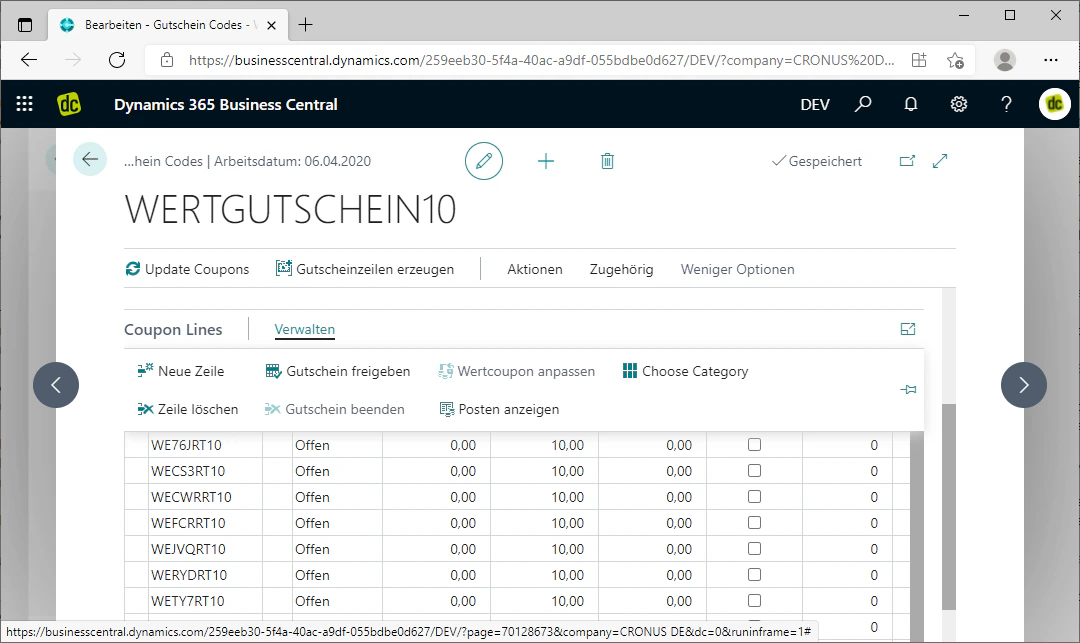 ## Coupon Code
In the "Coupon Code" column you can see the generated coupon code. This is the code that your customers enter in the web shop or when placing an order to receive the desired discount or value.
## Coupon Code
In the "Coupon Code" column you can see the generated coupon code. This is the code that your customers enter in the web shop or when placing an order to receive the desired discount or value.
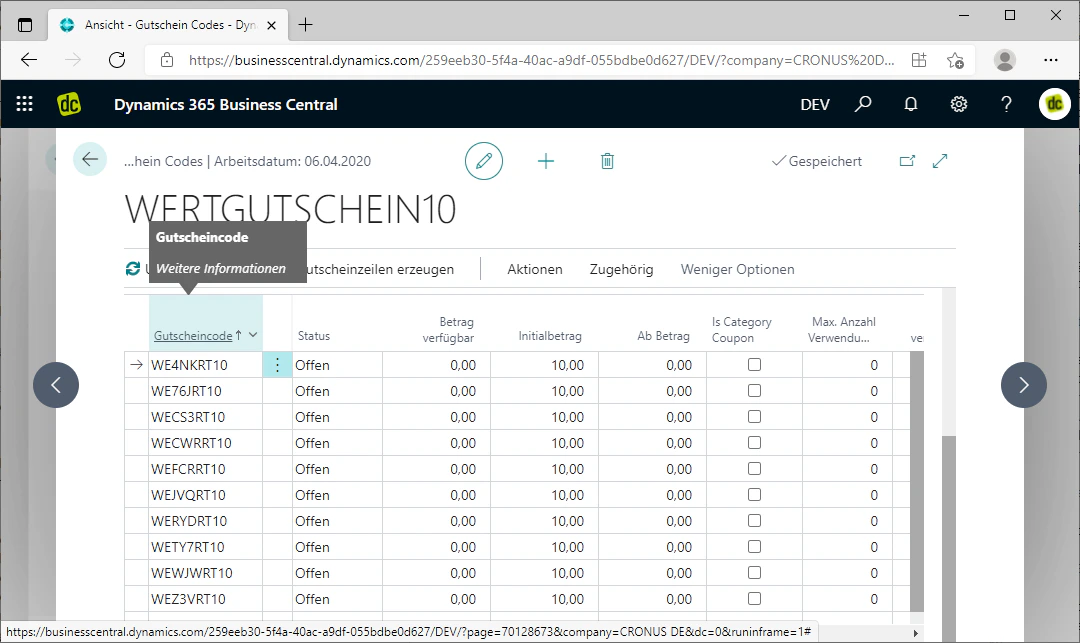 ## Status
In the "Status" column, the status of the coupon can be viewed. The associated field provides you with information on whether the coupon is open, active, or closed.
This means respectively:
* **Open:** The coupon has not yet been activated and therefore cannot yet be used.
* **Active:** The coupon is activated and can be used for orders.
* **Closed:** The coupon is no longer valid and cannot be used.
## Status
In the "Status" column, the status of the coupon can be viewed. The associated field provides you with information on whether the coupon is open, active, or closed.
This means respectively:
* **Open:** The coupon has not yet been activated and therefore cannot yet be used.
* **Active:** The coupon is activated and can be used for orders.
* **Closed:** The coupon is no longer valid and cannot be used.
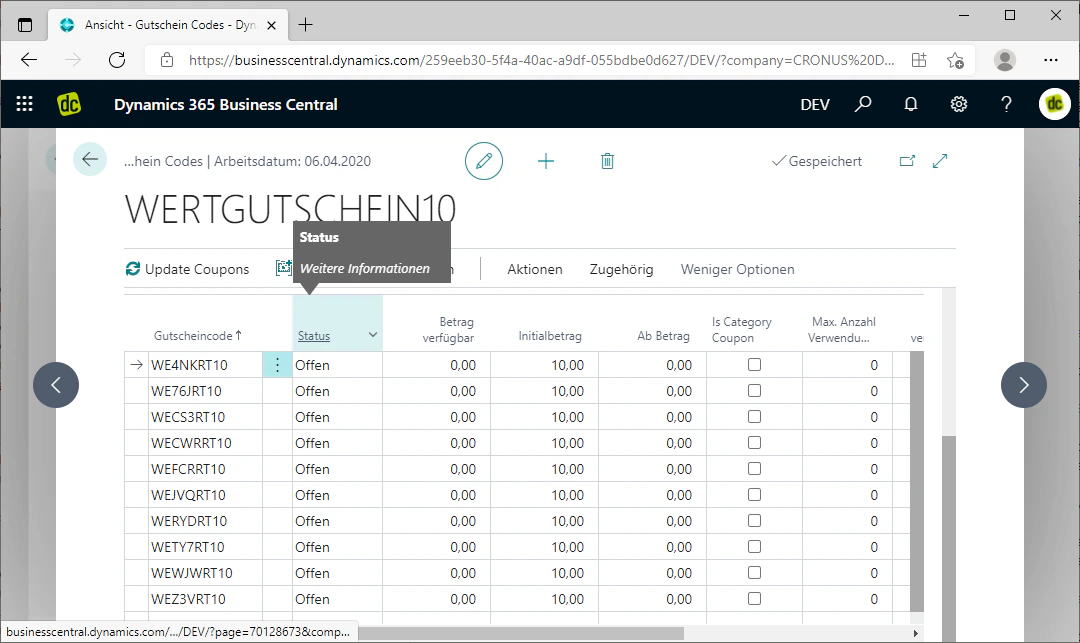 ## Amount Available (only for value coupons)
In the "Amount Available" column, you can view the remaining value amount of the coupon. This amount is the amount that can still be used when the code is entered.
## Amount Available (only for value coupons)
In the "Amount Available" column, you can view the remaining value amount of the coupon. This amount is the amount that can still be used when the code is entered.
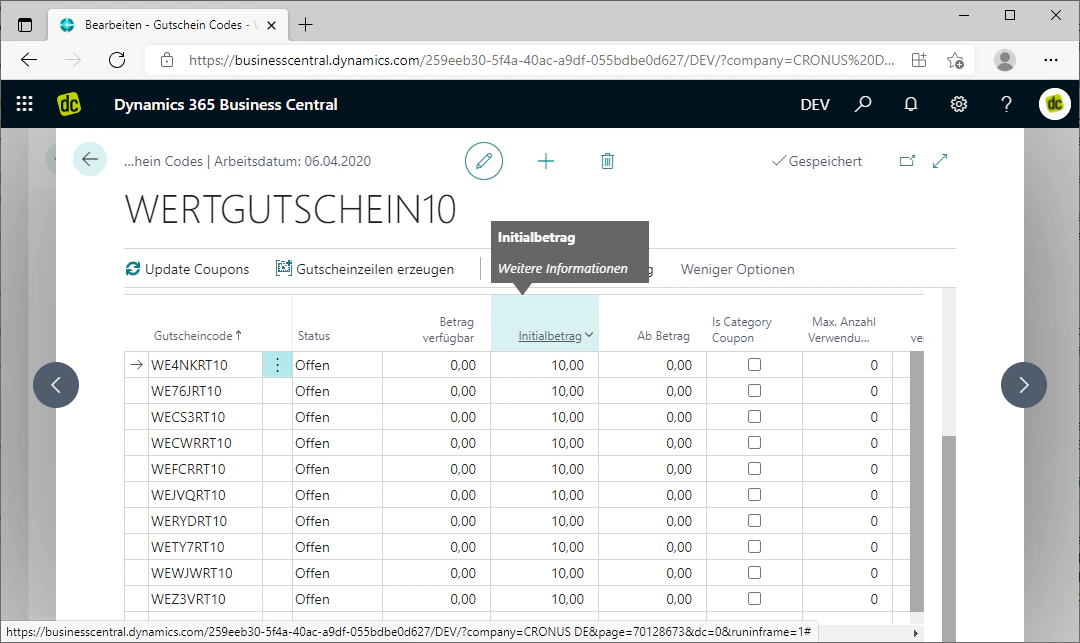
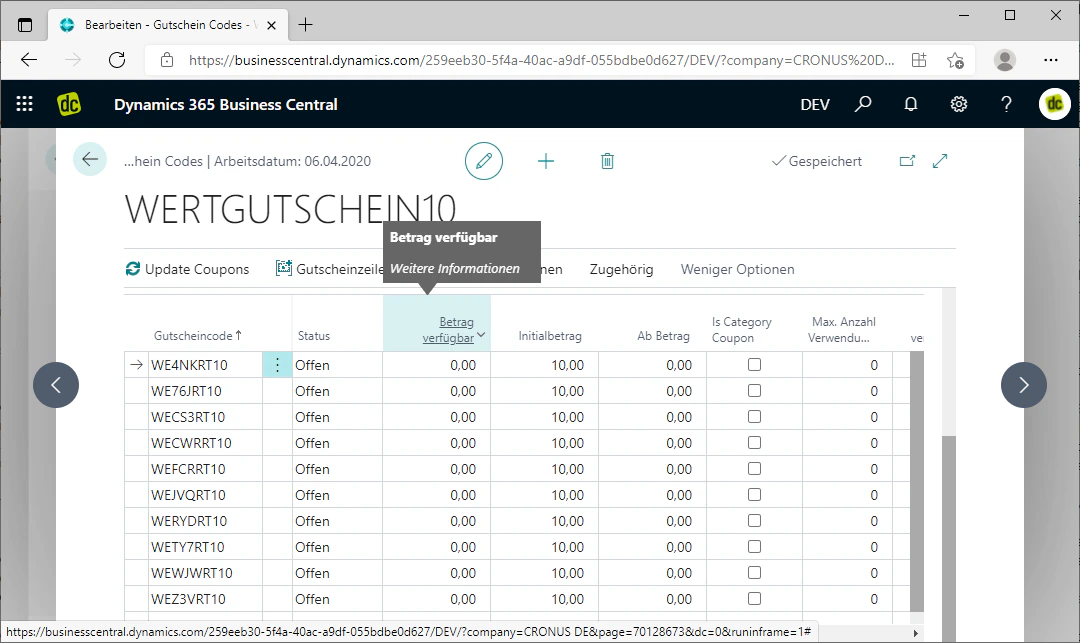 ## Initial Amount (only for value coupons)
In the "Initial Amount" column, the initial amount for the coupon is displayed. This is the amount that was originally contained as a value on the value coupon.
## Initial Amount (only for value coupons)
In the "Initial Amount" column, the initial amount for the coupon is displayed. This is the amount that was originally contained as a value on the value coupon.
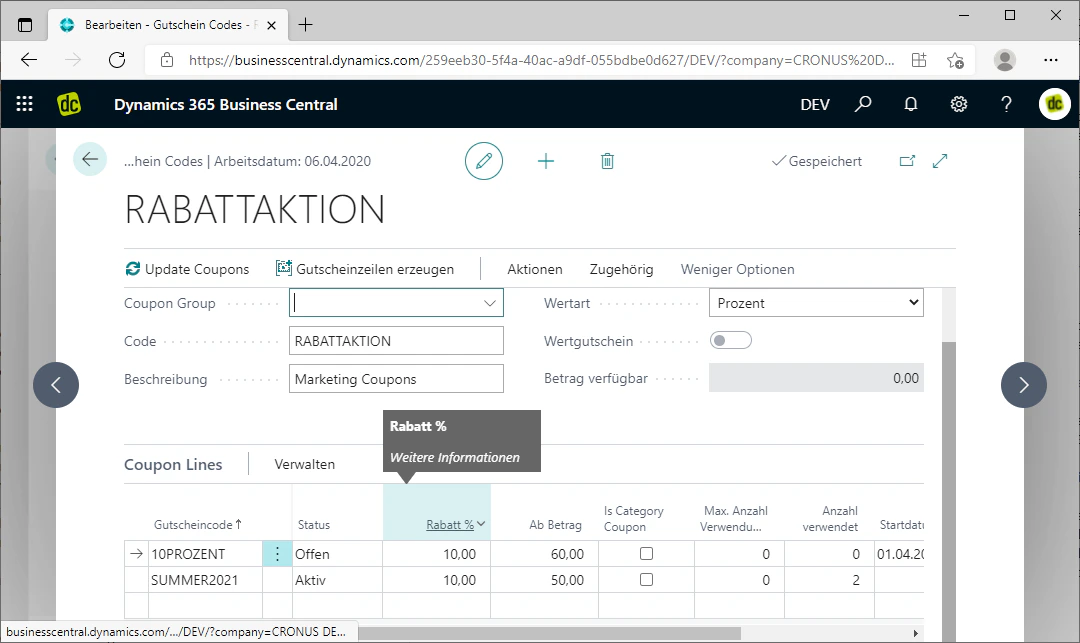
 ## Discount (only for percentage coupons)
In the "Discount" column, you can view the percentage discount of the percentage coupon. This percentage is then deducted from the order total within the order.
## Discount (only for percentage coupons)
In the "Discount" column, you can view the percentage discount of the percentage coupon. This percentage is then deducted from the order total within the order.
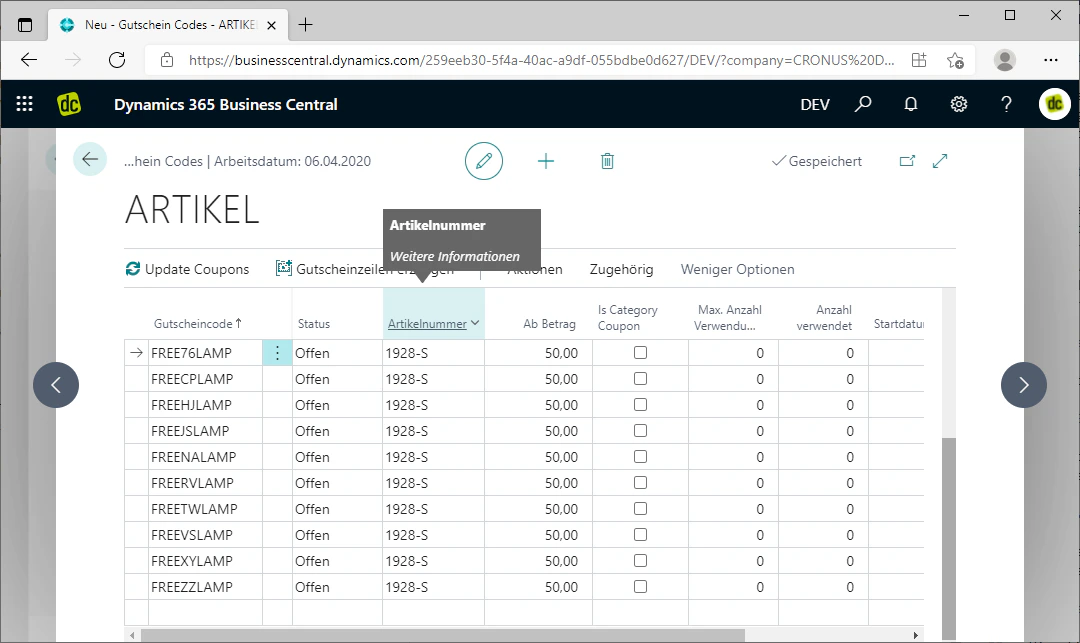
 ## Item Number (only for item coupons)
In the "Item Number" column, the item number of the item is displayed that is added free of charge to an order for the respective item coupon.
## Item Number (only for item coupons)
In the "Item Number" column, the item number of the item is displayed that is added free of charge to an order for the respective item coupon.
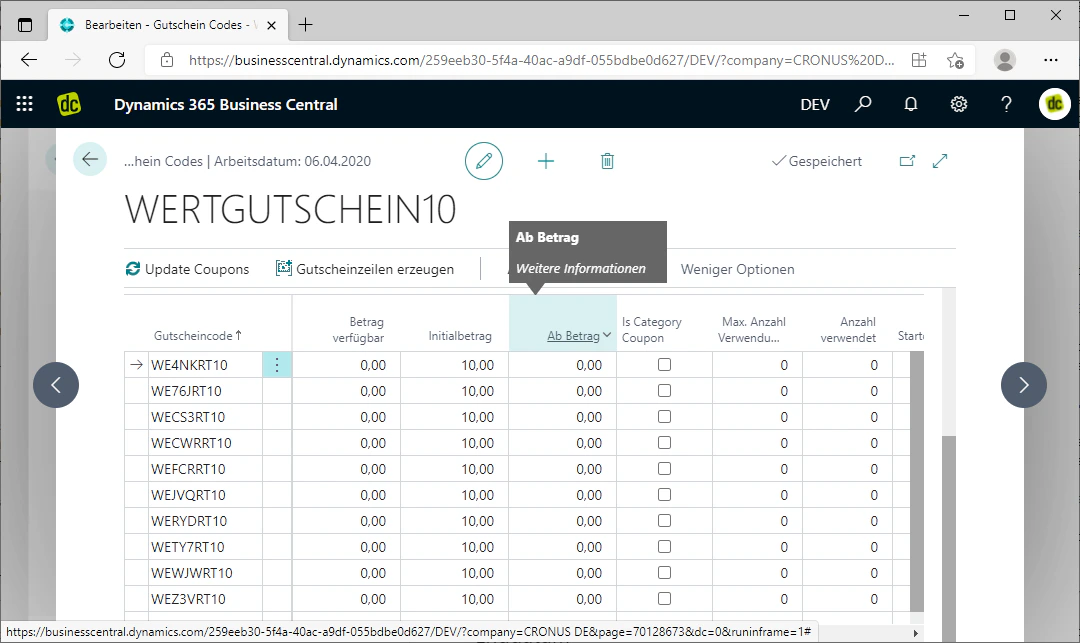
 ## Minimum Amount
In the "Minimum Amount" column, the amount is displayed that the order must reach as a minimum in order for the respective coupon to be used. This is therefore the minimum order value of the associated coupon code.
## Minimum Amount
In the "Minimum Amount" column, the amount is displayed that the order must reach as a minimum in order for the respective coupon to be used. This is therefore the minimum order value of the associated coupon code.
 ## Max. Number of Uses
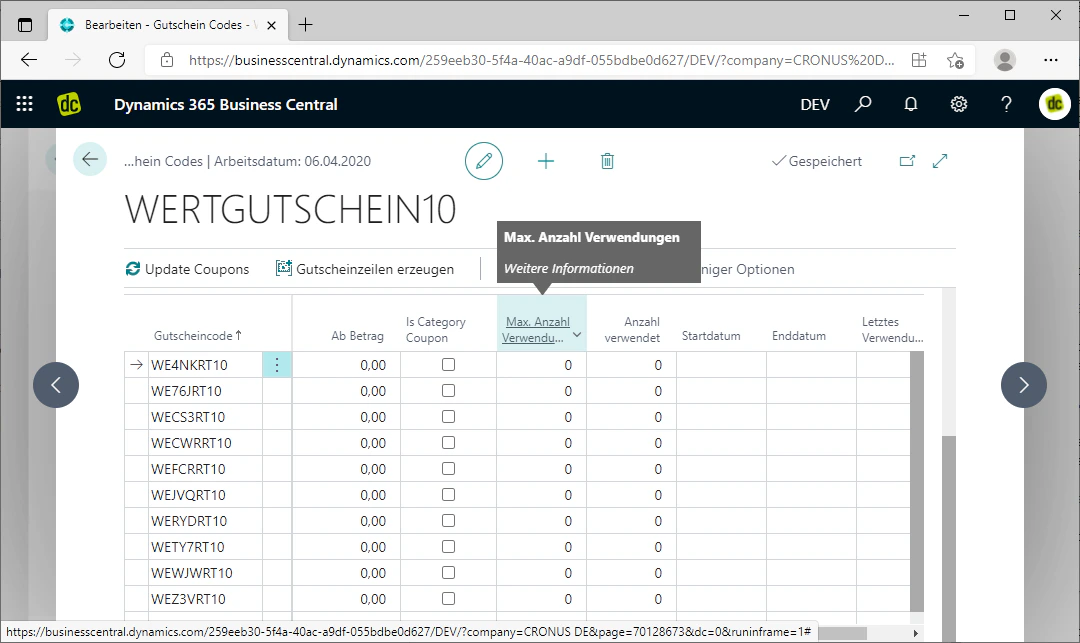
In the "Max. Number of Uses" column, the maximum number of uses of the respective coupon code is displayed. Here you can see how many times the coupon may be or could have been used in total.
## Max. Number of Uses
In the "Max. Number of Uses" column, the maximum number of uses of the respective coupon code is displayed. Here you can see how many times the coupon may be or could have been used in total.
 ## Number of Times Used
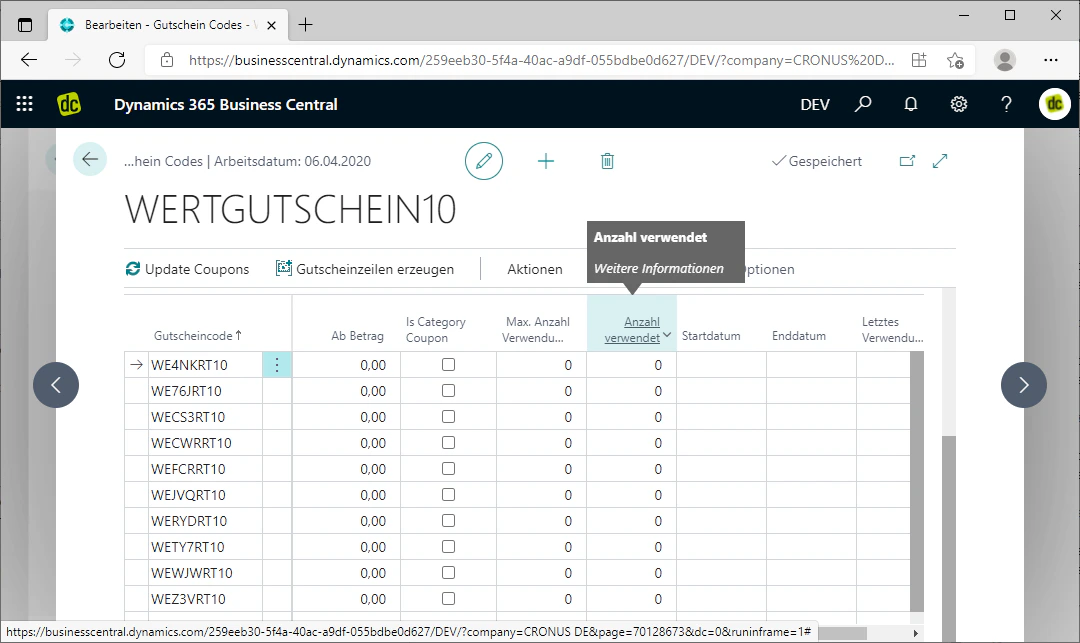
In the "Number of Times Used" column, you can see how many times the coupon has already been used.
If the value in this column equals the value in the "Max. Number of Uses" column, then the respective coupon code can no longer be used, as it has reached the maximum number of uses.
## Number of Times Used
In the "Number of Times Used" column, you can see how many times the coupon has already been used.
If the value in this column equals the value in the "Max. Number of Uses" column, then the respective coupon code can no longer be used, as it has reached the maximum number of uses.
 ## Start and End Date
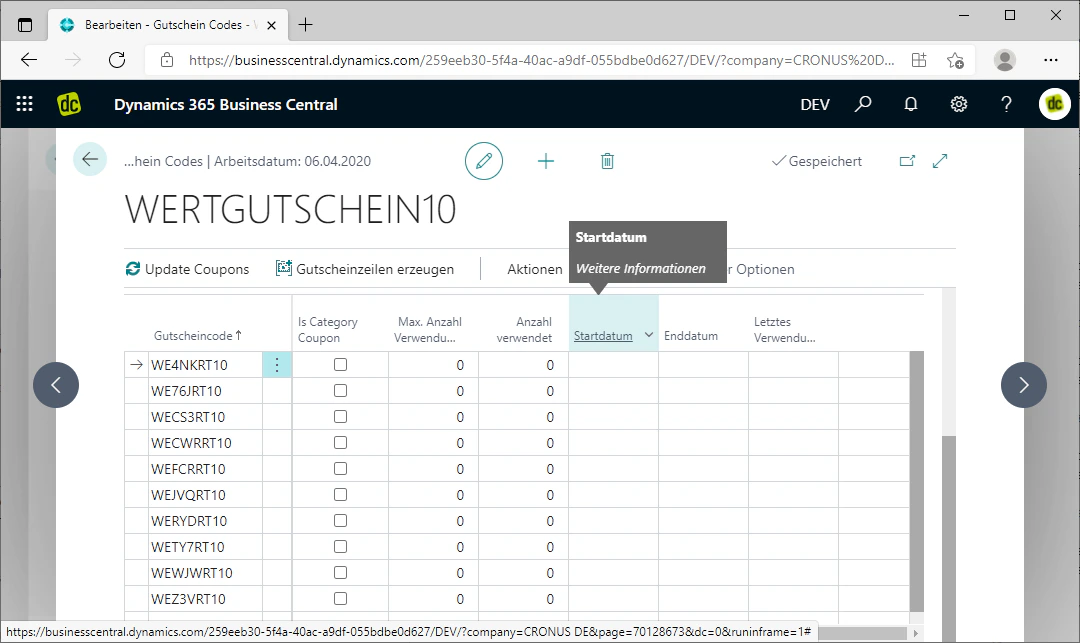
In the "Start Date" column, you can see the date from which the respective coupon code is valid.
In contrast, the "End Date" column shows the date from which the coupon is no longer valid.
This means that the respective coupon can only be used for orders during the period from the start date to the end date.
## Start and End Date
In the "Start Date" column, you can see the date from which the respective coupon code is valid.
In contrast, the "End Date" column shows the date from which the coupon is no longer valid.
This means that the respective coupon can only be used for orders during the period from the start date to the end date.
 ## Last Date Used
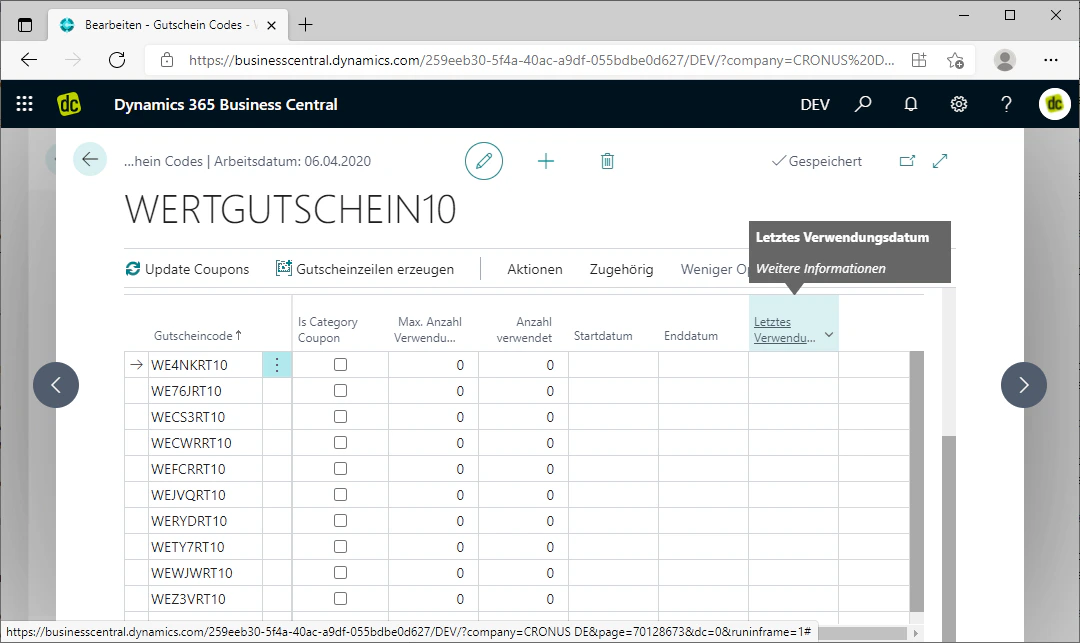
In the "Last Date Used" column, the date is displayed on which the respective coupon code was last used for an order.
## Last Date Used
In the "Last Date Used" column, the date is displayed on which the respective coupon code was last used for an order.
 ## Related Topics
Generate coupon lines automatically with prefix, suffix, and conditions.
Redeem a coupon code in a sales quote or sales order.
## Related Topics
Generate coupon lines automatically with prefix, suffix, and conditions.
Redeem a coupon code in a sales quote or sales order.